SAP Sales Cloud Version 2
From the first customer contact
to a reliable pipeline
Why Sales Management Starts with a Shared View of the Customer
Customer information in SharePoint folders, sales opportunities in an Excel spreadsheet, and visit reports in an email inbox with no link to the opportunity: This is everyday reality in many sales organizations. This rarely becomes apparent in day-to-day operations, but rather when forecasting planned deals or managing targeted sales initiatives. As a result, forecasts are based partly on experience or, more often than not, on gut instinct. Managers must continuously track status information, and cross-selling and upselling opportunities often go untapped.
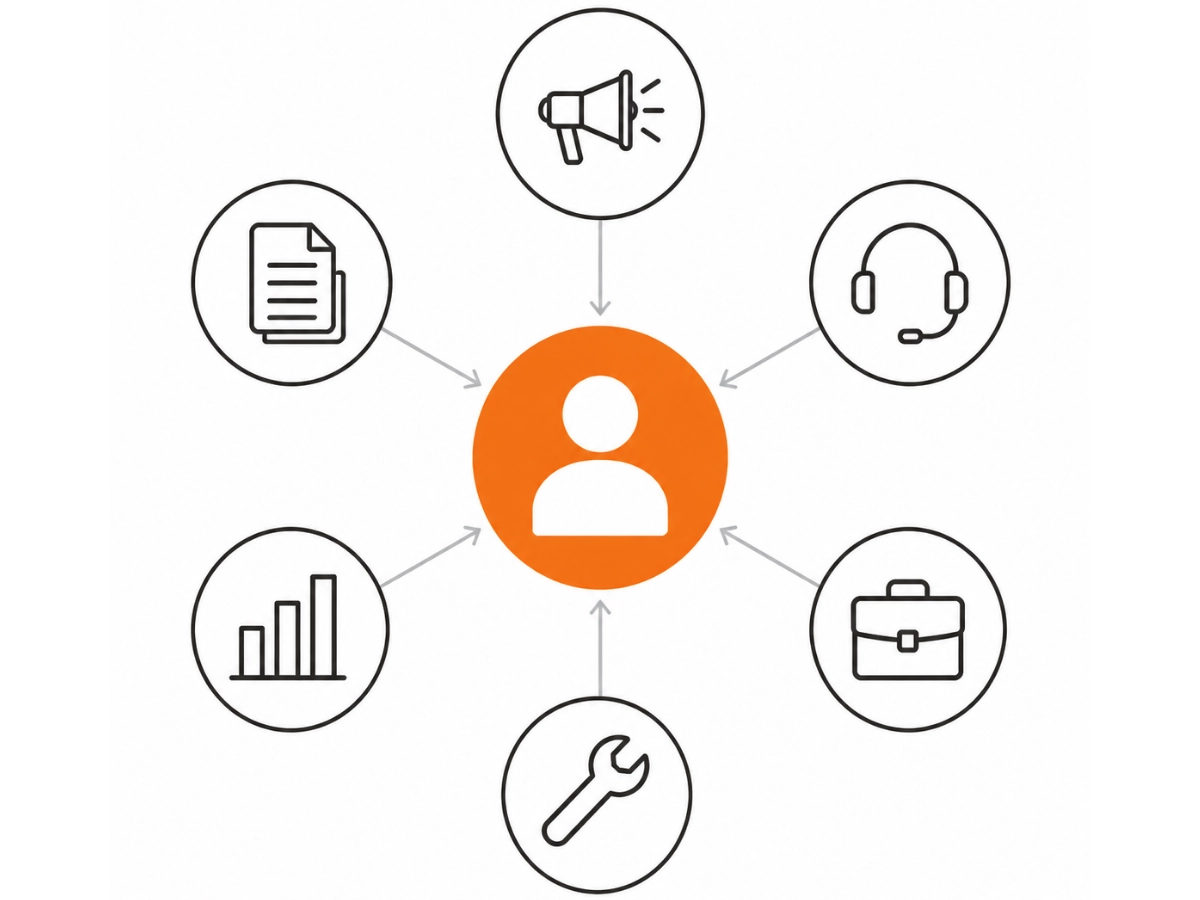
SAP Sales Cloud Version 2 can consolidate customer information, leads, sales opportunities, and customer activities into a single collaborative workspace, thereby creating a better foundation for forecasting and sales management. This article shows how a unified view of the customer and transparent sales processes contribute to a more robust pipeline.
Why the Pipeline and the Customer Perspective Go Hand in Hand
A reliable pipeline requires that the sales team knows its customers and their needs. An opportunity without a complete contact structure (buying center), without a history of interactions, and without a link to the actual demand is difficult to evaluate. Sales management therefore does not begin with the forecast, but with the customer data and the interactions behind it.
1. Customer View in SAP Sales Cloud Version 2: One View for All Teams
The problem: Duplicate entries, missing customer information, and no company-wide view. Marketing, inside sales, and outside sales teams operate with varying levels of information.
The solution: In SAP Sales Cloud Version 2, a centralized customer view brings together customer accounts, customer hierarchies, contacts, and their respective functions or roles within the company. This is supplemented by the responsible members of the sales teams and a chronological overview of all activities.
When creating a customer contact or a lead, the duplicate check displays potential matches along with a calculated probability of a match. Embedded S/4HANA applications (mashups) also provide a comprehensive 360° view of the current customer context.

Typical Questions for Customer Preparation
2. Leads in SAP Sales Cloud Version 2: Consistently Capture, Evaluate, and Transfer

The problem: Leads from various sources—such as emails, trade shows, or web inquiries—end up in inboxes. No one knows for sure how far along a prospect is in the sales process.
The solution: Source, qualification level, and needs, as well as processing status and responsibility, are recorded in a structured manner in SAP Sales Cloud Version 2. Leads can be processed in a structured and traceable manner using a so-called playbook and converted into a sales opportunity based on defined qualification criteria (typically needs, budget, decision-makers, and time horizon).
Common Questions in Lead Qualification
3. Opportunity Management in SAP Sales Cloud Version 2: Developing Sales Opportunities in a Structured Way
The problem: An opportunity consists of an estimated closing value but lacks a date for the next step. Stalled sales processes aren’t noticed until it’s too late.
The approach: Guided Selling and playbooks are used to structure the sales process across sales phases in SAP Sales Cloud Version 2. In particular, however, this allows for the individual customization and targeted management of various processes related to business with existing customers, new machines, projects, or fleets; service sales; as well as subscriptions and upselling.
Relevant contextual information—such as requested products and services, relevant contacts, involved employees, and even competitors—is part of a case. Graphical status indicators and recommendation cards for open activities and recommended next steps guide users.
Depending on the sales structure, opportunities may require approval, or you can use the settings to specify whether further steps are possible only after mandatory activities have been completed. When opportunities are marked as won, lost, or stopped, you can also enter reasons for these outcomes, from which valuable lessons can be learned.

Common Questions About Managing Opportunities
4. Customer Interactions and Visits in SAP Sales Cloud Version 2: Integrating Activity Management and Collaboration into the Sales Process

The problem: Visit reports and meeting minutes are stored separately from the sales process. Appointments and emails are generally kept outside the CRM.
The solution: Activity plans and questionnaires help prepare for and conduct meetings and visits in SAP Sales Cloud Version 2. Notes, attachments, and results are assigned to the respective transaction, and follow-up activities or new opportunities are created directly from them.
The integration with Outlook via Microsoft 365 links contacts, emails, and appointments to the CRM; the Microsoft Teams integration allows you to share workspaces in Teams with your sales colleagues. To help you stay organized and up to date, the Digital Selling Workspace also consolidates to-dos, appointments, key metrics, and recommended next steps in a single workspace.
A change in perspective is also crucial here: Instead of asking how far along an opportunity is, activity transparency shows which customer interactions have actually taken place. The pipeline status is thus derived from actual sales activity rather than reported retroactively.
Common Questions About Activity Tracking and Planning
5. Pipeline, Forecast, and Sales Targets in SAP Sales Cloud Version 2: Managing Sales Teams Based on Facts
The problem: Discussions about the pipeline and forecasts are based on personal assessments. Reports and status tracking are created manually from various analyses and Excel spreadsheets.
The solution: The Pipeline Manager in SAP Sales Cloud Version 2 provides an overview of the pipeline’s status. The Pipeline Flow shows how opportunities progress through the various phases, and the bubble chart in the Forecast Tracker allows you to visualize projected revenue for different scenarios. This allows you to compare forecast plan values with target and live values in the Forecast Tracker and perform simple what-if simulations. The target values come from strategic sales target planning, which links top-down targets to the operational sales organization.
Risk signals supplement a forecast. For example, you could define the following: An opportunity scheduled to close in the current quarter has had no customer contact for 14 days. The specific logic is configurable and is defined in the project. Furthermore, such a signal is only reliable if all activities are consistently and completely recorded (see Section 4).
Sales territories govern the allocation of customers by region, product line, or customer category. However, hybrid models are also possible in organizations structured by region. For example: Opportunities are distributed hierarchically by region, and within each region by product line. At the same time, key accounts have their own sales territory. This allows managers to see where the pipeline for a product category is thinning as the end of the quarter approaches and which key accounts should receive special attention.

Common Questions in a Forecast Review
6. SAP Sales Cloud Version 2 and SAP S/4HANA: Integration Instead of a New Data Silos
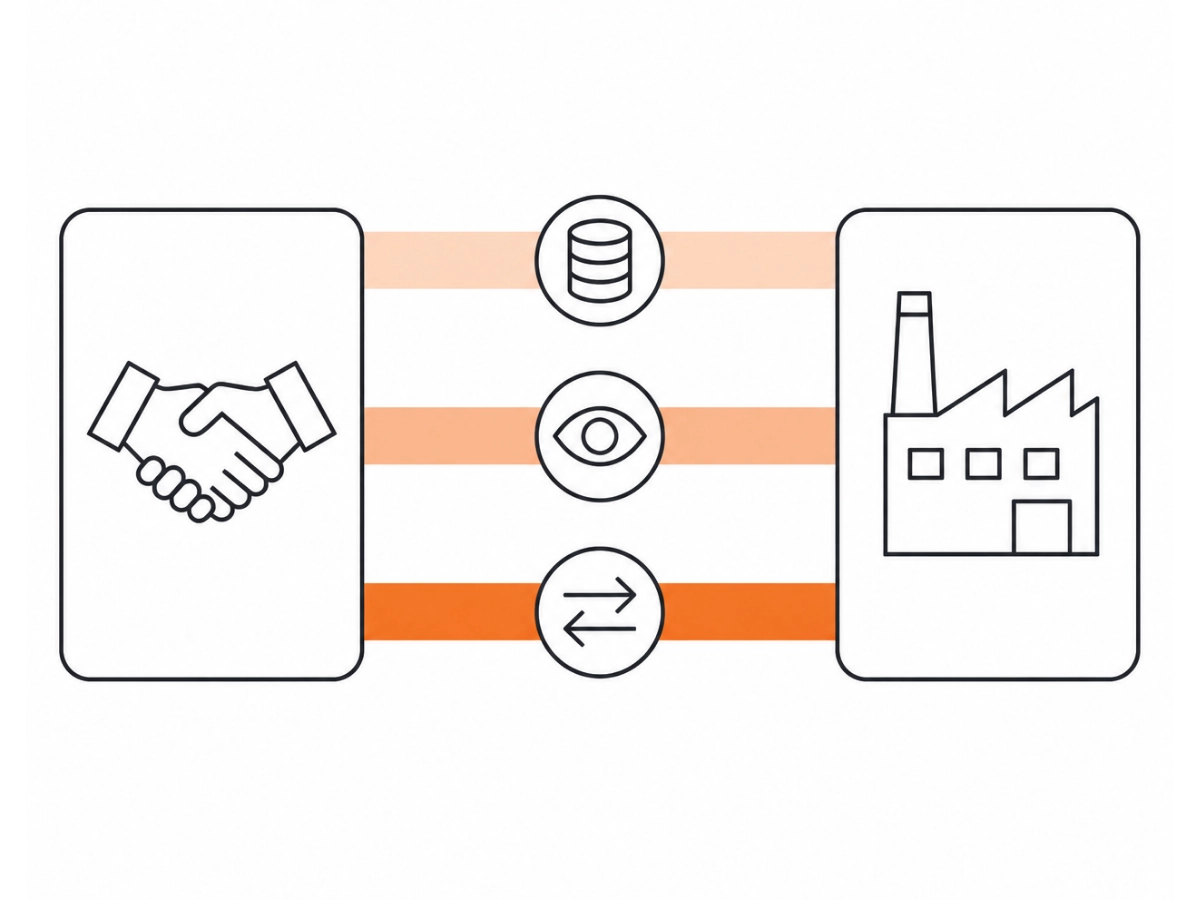
The problem: A CRM system without a coordinated ERP integration can create yet another data silo. At the same time, the sales team needs relevant ERP information during the customer process—such as details on customers, products, prices, quotes, and orders. If data is maintained in different locations or responsibilities are not clearly defined, this can lead to increased maintenance efforts and conflicting information.
The approach: Integration is based on what information the sales department needs and which processes are to be carried out in the ERP system. Three levels help clearly define the scope:
- Master Data Integration: Customer, contact, product, employee, and organizational data are integrated between SAP ERP and SAP Sales Cloud Version 2 based on standard SAP integration content. This process defines which system serves as the master for the respective data and under what conditions changes can be made bidirectionally.
- Embedded Information: Relevant ERP applications—such as those related to quotes and orders—can be displayed within the CRM context. These are either so-called “mashups” or read-only access based on standard SAP integration content.
- Transactional Integration: For machine and plant manufacturers, as well as other equipment-focused OEMs, transactional ERP integration can be particularly important: For example, a simulation in SAP S/4HANA can check price, availability, or credit status before a quote reaches the customer. Processes such as price and availability checks are performed directly in SAP ERP via interfaces. Document data—particularly for quotes and orders—is also created in SAP ERP from within Sales Cloud. However, this phase requires fundamental architectural decisions, which we define separately as part of the implementation.
Common Questions About Integration
7. AI in SAP Sales Cloud Version 2: Use it where it supports sales
The problem: Sales representatives must evaluate leads based on a wide range of information, assess sales opportunities accordingly, and prepare customer information for meetings or communication. AI can help with this, but it only provides reliable insights if the use case is clear and the underlying data is suitable.
The solution: SAP Sales Cloud Version 2 offers Predictive AI and generative AI capabilities at various stages of the sales process. These include:
- Leads Intelligence: Helps evaluate leads that are highly likely to convert into opportunities.
- Lead Booster: Helps enrich leads. For example, it enables better preparation for sales calls by aligning the pitch on product benefits with the customer’s strategic goals.
- Deal Intelligence: Evaluates the likelihood of winning opportunities based on historical sales data.
- Duplicate Detection: When creating an account, it compares configured fields with existing accounts. Potential matches are displayed with a confidence score so that the sales representative can decide whether to proceed with the creation.
- Account Synopsis: summarizes account information.
- Email Drafter: assists with drafting emails.
Before implementing predictive AI, it is important to verify whether sufficiently complete and reliable historical data is available. If closed opportunities or relevant information are missing, assessments can quickly become unreliable. For generative functions, it is also important to consider the permissible information sources, access rights, and the professional review of the results. Therefore, the use of AI should be planned and implemented only after the new CRM system has proven itself in operational use.

Common Questions Before Implementing AI
Lessons Learned from a Pilot Project
Component Manufacturer: The primary goal of the project was to establish a shared view of the customer and a consistent sales process for marketing and sales. The implementation deliberately followed SAP’s standard functionality and was clearly defined so that the sales team could become operational quickly.
Step 1 – Making the Sales Department Operational: The standalone SAP Sales Cloud was implemented for marketing as well as internal and field sales teams. The initial scope included managing contacts and leads through to customer creation, customer management and the assignment of sales territories, visits, and opportunities, integration with Outlook and Teams, and reporting. This supported the entire journey from initial contact through qualification to closing in a unified process. Visits could also be planned, prepared, documented, and tracked within the system. Sales target planning and forecasting were deliberately excluded from the initial scope; instead, the focus was on operational improvements.
Step 2 – Supplement ERP Data: Next, master data integration with the parent company’s ERP system was implemented. A more comprehensive 360° view of the customer, including the display of quotes and customer orders, was planned as a subsequent enhancement. The creation of quotes and orders was intentionally kept within the ERP system.

The following improvements were achieved as part of the project:
From Project to Result: How to Measure Success
Without a baseline, success cannot be demonstrated. We recommend establishing measurement points as part of the implementation process and selecting two to three key performance indicators (KPIs) as control metrics. The following KPIs are provided solely as examples and must be defined individually for each organization:
| KPI | Question it answers | Measurement | Target value |
|---|---|---|---|
| Forecast Accuracy | How close is the forecast to the actual result? | Quarterly Deviation Between Forecast and Actual | 65–80% |
| Win Rate | How successful are we at closing deals? | Won ÷ Closed, by segment | 15–25% |
| Lead Response Time | How quickly do we respond to prospective customers? | Time to First Contact | 60 minutes |
| Pipeline Health | Are opportunities fully maintained? | Percentage with Next Step, Closing Date, and Forecast Category | >80% |
| Duplicate Rate | How consistent is our customer data? | Duplicates ÷ Total Accounts | <10% |
| Account Plan Coverage | Are key accounts actively planned? | Percentage of key accounts with a plan, updated within the last 90 days | >90% |
| Time Spent on Administration | How much time is spent on data maintenance and preparation instead of on active sales? | Time study before and after implementation | -25–40% |
Seven Success Factors for Getting Started with SAP Sales Cloud Version 2
Seven success factors can be derived from Sections 1–7 and the reference project:
- First, clarify the goal and the collaborative process. Marketing, inside sales, and outside sales should agree on the most important customer processes—from initial contact and lead qualification to opportunities and the associated customer interactions.
- Start with the SAP standard system and a functional core. First, implement the features that support the sales team in their day-to-day work. Specify more extensive enhancements, variants, and side-by-side developments only after the need for them has been verified within the standard system.
- Explicitly define the scope and phases of development. For the first release (MVP), clearly specify what is included and what will follow later. In the reference project, quote generation, sales target planning, and forecasting were excluded from the first phase—this enabled rapid integration into operational processes and the collection of relevant customer data.
- Ensure data ownership and data quality early on. Define leading systems and responsibilities for customer, contact, product, and organizational data. Clean up duplicates and incomplete customer structures before migration and integration, if possible.
- Manage leads and opportunities according to clear rules. Define the source, qualification, ownership, sales stages, and next steps in such a way that handoffs are traceable and the status reflects actual sales progress.
- Embed activities into daily workflows. Determine early on which visits, conversations, and follow-up actions will be tracked, what information is required, and who will maintain the data. Outlook and Teams integration, along with a clear visit process, support adoption; comprehensive activity data also lays the foundation for pipeline transparency.
- Gradually expand ERP, forecasting, and AI capabilities and measure their impact. Treat master data, embedded ERP information, and transactional processes as distinct levels of integration. Design and plan price and availability checks separately. Add forecasting and AI capabilities only once a suitable data foundation is in place and for specific use cases; establish a baseline before go-live and regularly evaluate a few relevant metrics.
Conclusion
A reliable pipeline isn’t created by a forecast report or a single AI feature. It requires a shared view of the customer, an end-to-end lead and opportunity process, clear data ownership, and customer interactions that are tracked in a traceable manner. This case study demonstrates the value of a deliberately limited, SAP-standard-based initial implementation: First, the sales function was made operational; the ERP integration then supplemented the data context. Quote generation and more advanced functions remained clearly separated or were treated as phases for future expansion.
The reported project results—including faster processes, greater transparency, and improved traceability—are listed here as qualitative effects. To make reliable claims about success within your organization, you’ll also need a baseline and a few key metrics tailored to your specific organization. The sensible next step, therefore, is to clarify processes and data requirements, define the core scope in collaboration with marketing and sales, and implement transactional ERP integrations and AI enhancements only where there is a concrete need and a solid foundation.

Frequently Asked Questions About SAP Sales Cloud Version 2
How to Get Started with SAP Sales Cloud Version 2 and proaxia
Which entry point is right for your organization?
Where is your sales team wasting time today: searching for information, tracking opportunities, or reconciling forecasts? Talk to us about your current situation. We’ll show you how SAP Sales Cloud Version 2 can support your customer service and sales management—and which implementation approach is right for your organization.
Contact: info@proaxia-group.com | +41 56 418 20 80
SAP and SAP Sales Cloud are trademarks or registered trademarks of SAP SE. Feature sets and availability are subject to the currently valid SAP product description and the agreed-upon project scope.
Your expert

Dr. Jan Löhe
Head of CoE Customer Interaction, proaxia consulting group
For over 20 years, Dr. Jan Löhe has been advising global companies on the digital transformation of their sales and service processes—with a deep understanding of B2B customer interaction in the mechanical and plant engineering, medtech, and high-tech industries. At proaxia, he is responsible for the “Customer Interaction” Center of Excellence as well as the proaxia Customer Service Suite (CSS), and drives the practical implementation of integrated solution architectures, SAP CX solutions, and Business AI.