Automotive Technician App
From a Paperless Workshop
to Connected Service Execution
How tablet-based working and connected approval processes help technicians, service advisors and customers move from a technical finding to an authorised repair.
A technician discovers additional damage during a routine service. The finding must be documented, the service advisor needs to assess the repair and calculate the cost, and the customer must decide whether to approve the additional work.
Then the decision needs to reach the technician.
An automotive technician app can help connect these steps. But replacing a printed job card with a screen is only the beginning. The real value comes when information captured at the vehicle becomes part of the same process used to assess, approve and carry out the work.

What is an automotive technician app?
An automotive technician app gives workshop employees a digital interface for their daily service work. Used on a tablet, it brings job information and documentation directly to the vehicle.

Depending on the solution and configuration, key capabilities include:
In the VSS Technician App, vehicle and job information are available in the order detail view, while attachments can accompany notifications to keep supporting evidence connected to the work.
The value lies in connecting these capabilities. Access to a job is useful; keeping its findings and the next actions in context is what helps the service process progress.
Why a tablet should replace more than paper
Paper-based workflows separate the place where information is discovered from the place where it is processed. A technician may write down a finding beside the vehicle, bring the note to the service desk and explain it again. The service advisor then needs to assemble the information required for a customer proposal.

A tablet can bring documentation into the working environment. Technicians can open the relevant job, check the vehicle’s background and capture supporting evidence without first creating a paper record.
Different forms of documentation serve different purposes:
However, digital documentation alone is not enough. If those files remain in a separate application, someone still has to reconnect them with the service order and the customer conversation.
A paperless workshop should remove information gaps—not simply change the format of the job card.
From a technical finding to an approved repair
Additional work is a practical test of how well an automotive technician app fits into the service process.
The workflow needs to connect technical assessment, commercial evaluation, customer approval and workshop execution. It should also preserve the distinction between discovering a problem and receiving authorisation to repair it.
A connected process can follow four essential stages.

1. Document the finding
The technician identifies damage or a service requirement outside the original work scope and records it against the relevant job.
Photos, video or explanatory notes provide supporting information. The finding is then passed to the responsible service employee through the configured communication process.
At this stage, the technician has identified a need for assessment—not permission to carry out additional chargeable work.

2. Evaluate the repair and prepare the estimate
The service advisor reviews the documentation, assesses the proposed repair and prepares the cost calculation.
Technical findings and commercial evaluation remain connected, but the responsibilities are different. The technician explains what has been discovered; the service advisor turns that information into a proposal the customer can understand.
The proposal should set out the recommended work, its cost and any implications for the visit.

3. Give the customer a clear basis for a decision
The customer receives the proposed order extension together with the relevant explanation and supporting information.
The message should answer three questions:
This creates a more meaningful approval request than an unexplained amount or a technical description without context. The customer can make a decision based on the documented finding and the advisor’s recommendation.

4. Return the decision to the technician
Approval must not remain in an inbox while the workshop waits for an update.
When the customer approves the order extension, the configured workflow informs the technician that the additional work has been authorised. The decision returns in the context of the relevant job.
This completes the process: a finding becomes a proposal, the proposal receives a decision, and the workshop receives the information needed to act.
The return path to the technician is just as important as the approval request sent to the customer.
What dealerships gain from a connected workflow
The objective is not to automate every conversation. It is to give each person the information needed for the next action.
A connected workflow can support:

This approach also gives upselling a practical foundation. The opportunity comes from an identified service need, rather than a sales message disconnected from the vehicle’s condition.
How proaxia VSS connects the workshop with the wider service process

The proaxia VSS Technician App provides this digital working environment within proaxia VSS—an End-to-End Dealer Business Platform.
It is a web-based application accessed through the SAP Fiori Launchpad, designed for tablet use and also available on a PC. Order search and detail views help technicians find the relevant work and access the information needed to carry it out.
The app’s connection to the VSS Communication Framework allows findings, notifications and approval requests to become part of a configured business workflow. Recipients, channels and process steps can be defined for the dealership’s requirements.
For an order extension, this means connecting the technician’s finding with the service advisor’s assessment, the customer’s decision and the notification back to the technician.
Crucially, the Technician App is not positioned as an isolated workshop application that merely passes selected information to the dealer management system. It is the technician’s working interface within the wider VSS service process.
The service desk, service advisor, workshop controller, parts team and technician have different responsibilities. The customer interacts through customer-facing touchpoints such as the Customer Portal. Each role needs an appropriate view, but the underlying service process must remain connected.
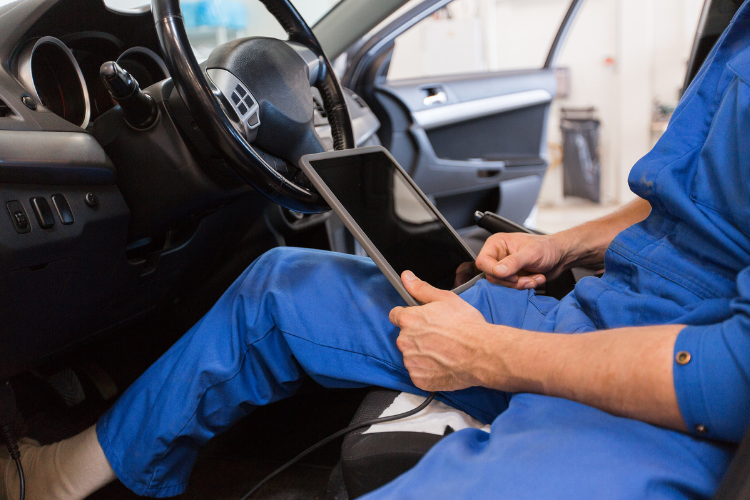

That becomes especially important when the original plan changes. Additional damage or an approved order extension should not force employees back into a parallel process of handwritten notes and disconnected messages.
A tablet is the working device. The end-to-end platform is what connects the work.
What to look for when choosing an automotive technician app
Rather than evaluating individual screens, follow one complete workshop scenario during a demonstration.
Ask whether the solution can:
Then examine how the app fits into the dealership’s wider business platform. The decisive question is not simply whether information can be exchanged with the DMS, but whether technicians and service employees can move the work forward without disconnected handovers.
Take the next step
Does your workshop simply display jobs on a tablet—or connect every finding, decision and action?
Discover how the proaxia VSS Technician App brings tablet-based working, documented findings and connected customer approvals into one continuous service process.
From the first finding to the authorised repair: workshop execution as an integral part of the proaxia VSS End-to-End Dealer Business Platform.

Your expert

Matthias Kolb
Senior Consultant, proaxia consulting group
Matthias Kolb is a driving force in automotive digitalization, transforming complex processes into streamlined, customer-centric solutions. With deep industry expertise, he partners closely with automotive businesses to unlock efficiency and accelerate change — bridging the gap between technology and real-world operations.